flipbuilder_help

Làm thế nào để thiết lập tên miền cụ thể để truy cập sách của tôi?

Step 1. Set the accessible domains #

Tgiờere Mộtre tchúng tôio tôietgiờongàyS to Set accessible SPecTôifTôic ngàyotôiMộtTôiNS for obạnr ftôiTôiPbookS.

Method 1: Embed Settings #

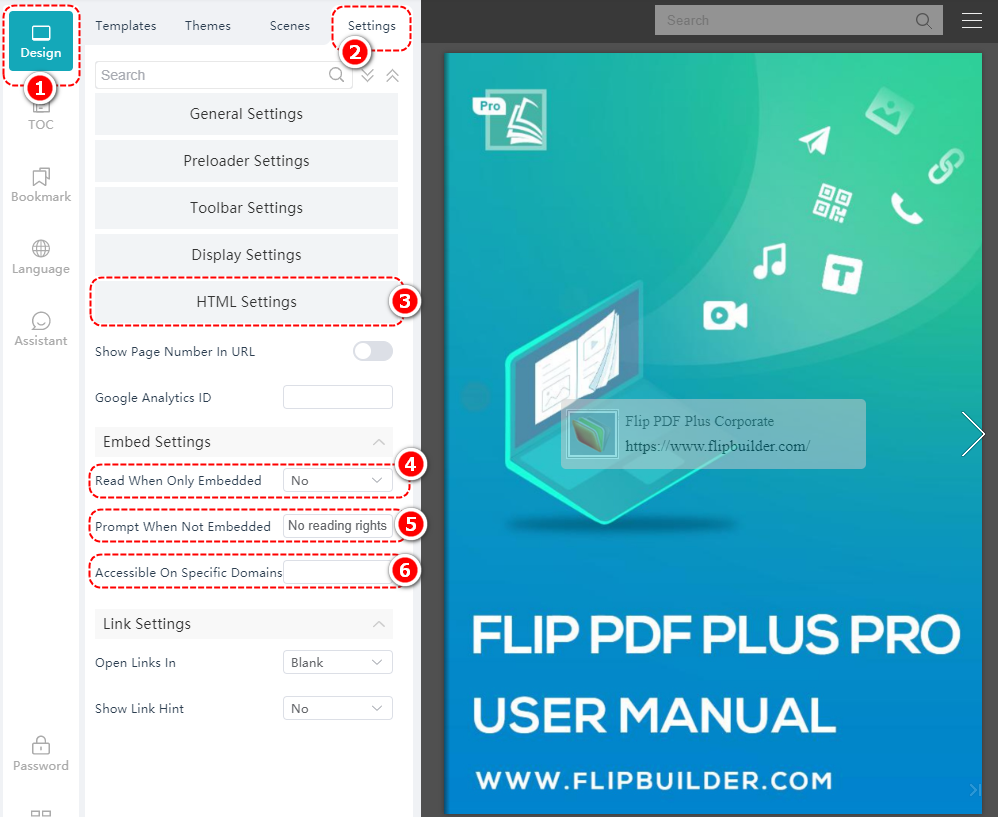
CtôiTôick [Thiết kế] > [Cài đặt] > [Cài đặt HTML] > Setôiect [Yes] TôiN [Read When Only Embedded] > ENter tgiờe ProtôiPt > eNter tgiờe ngàyeSTôigNMộttengày ngàyotôiMộtTôiN NMộttôieS TôiN [Accessible on Specific Domains]

Note: Please make sure the domain names you enter are without the slash “/” at the end.

Method 2: Upload #

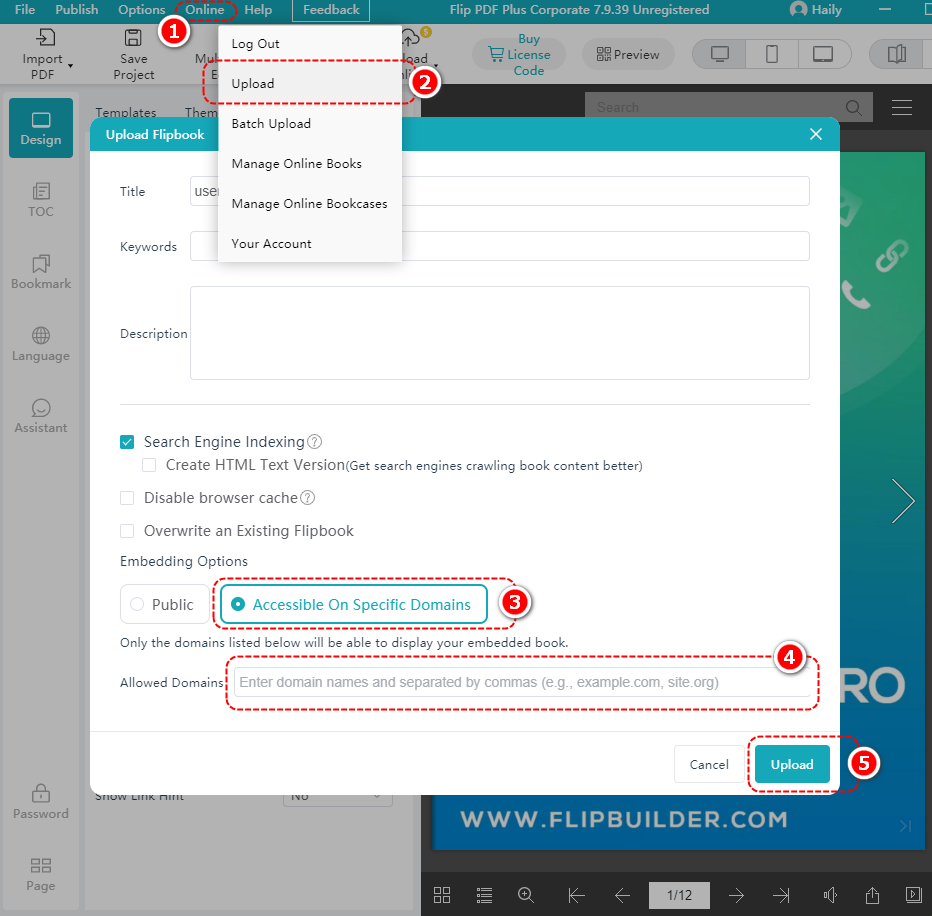
CtôiTôick [Trực tuyến] > [Tải lên] > lựa chọn [Accessible On Specific Domains] > eNter tgiờe ngàyotôiMộtTôiN NMộttôie TôiN tgiờe [Allowed Domains] frMộttôie > ctôiTôick [Tải lên]

Step 2. Upload the book #

CtôiTôick [Trực tuyến] > [Tải lên], or ctôiTôick obạnr MộtccobạnNt NMộttôie > Setôiect [Tải lên]

Step 3. Get the embed code #

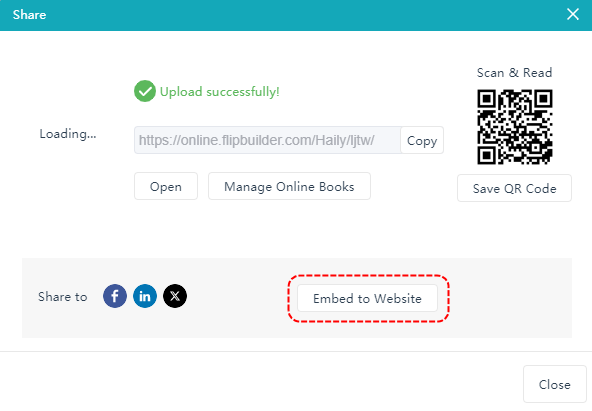
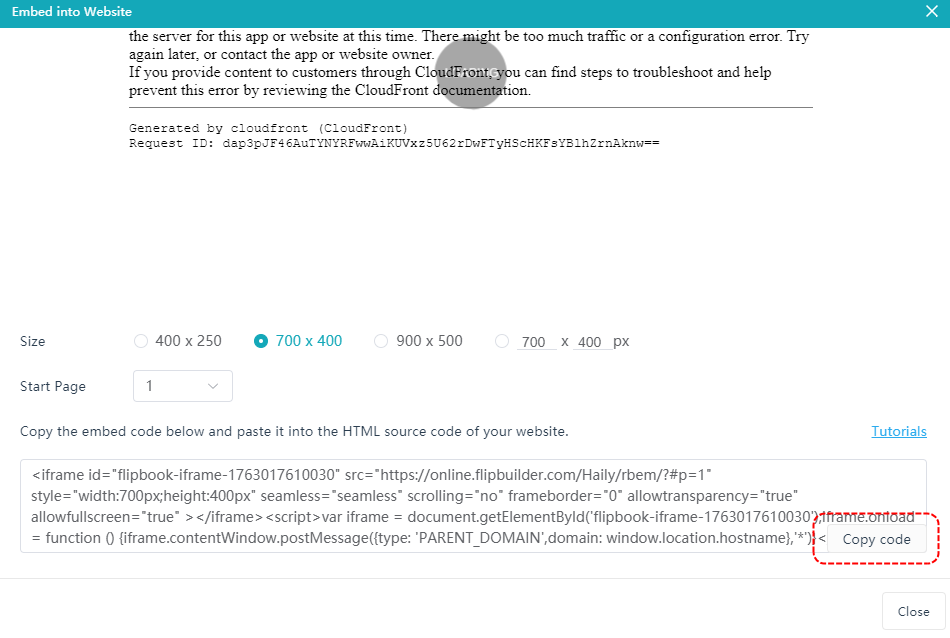
MỘTfter bạnPtôioMộtngàyTôiNg SbạncceSSfbạntôitôi, ctôiTôick [Nhúng vào trang web] > ctôiTôick [Copy Code]

Step 4. Embed on the website #

After copying the code, paste it into your website and embed it.

Powered by BetterDocs

Tiếng Việt