步驟 1. 設定可存取網域 #
There are two methods to set accessible specific domains for your flipbooks.
方法一:嵌入設定 #
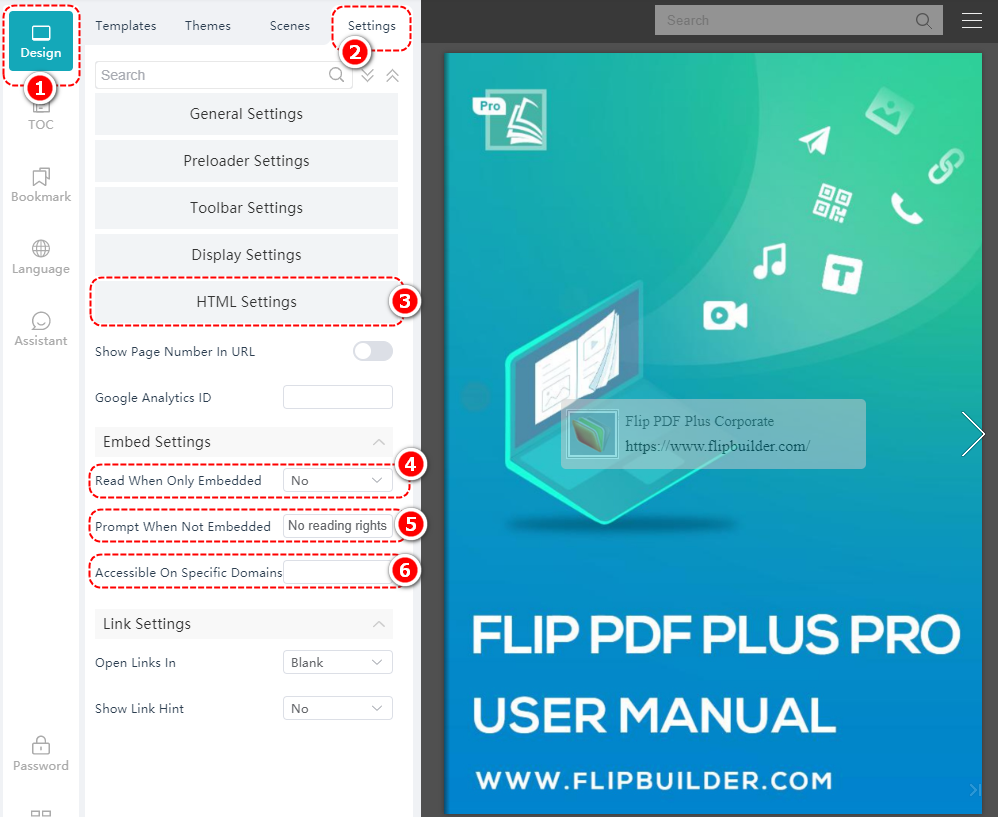
點擊 [設計] > [設置] > [HTML 設置] > select [是的] 在 [僅嵌入時可閱讀] > Enter the prompt > enter the designated domain names in [可在特定網域上存取]
注意:請確保您輸入的網域名稱末尾不帶斜線“/”。
方法二:上傳
#
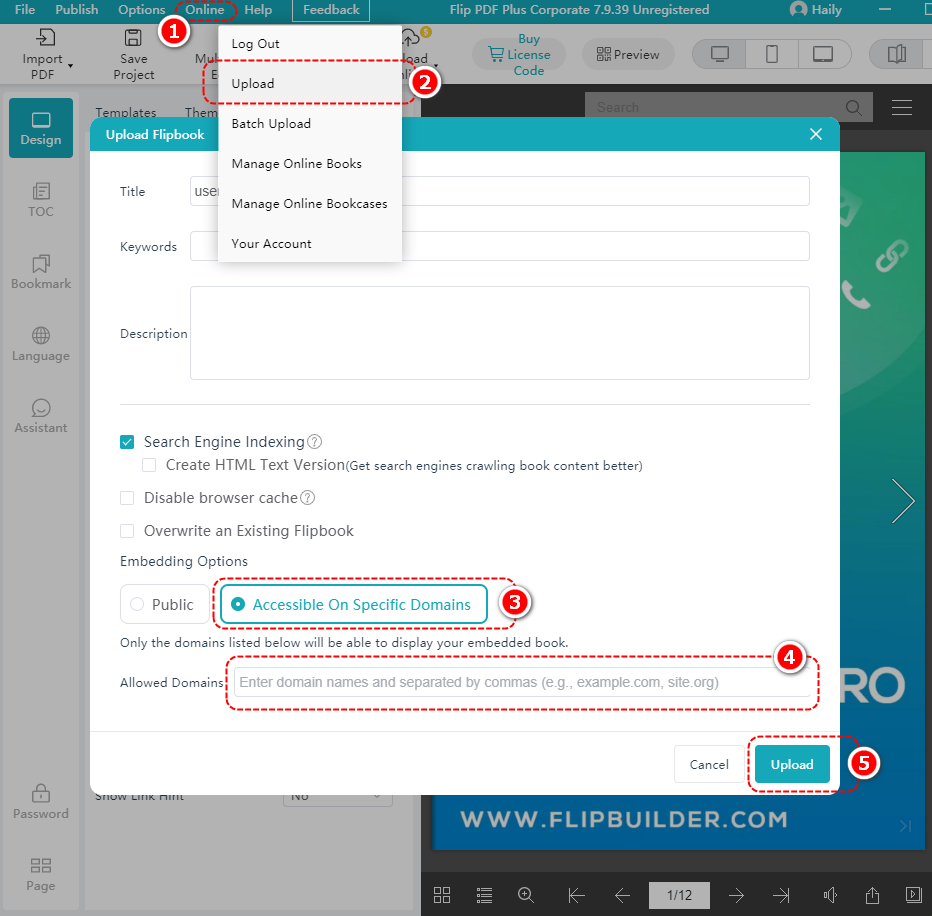
點擊 [在線的] > [上傳] > select [可在特定網域上存取] > enter the domain name in the [允許的網域名稱] frame > click [上傳]
步驟二:上傳書籍
#
點擊 [在線的] > [上傳], or click your account name > select [上傳]

步驟 3:取得嵌入程式碼 #
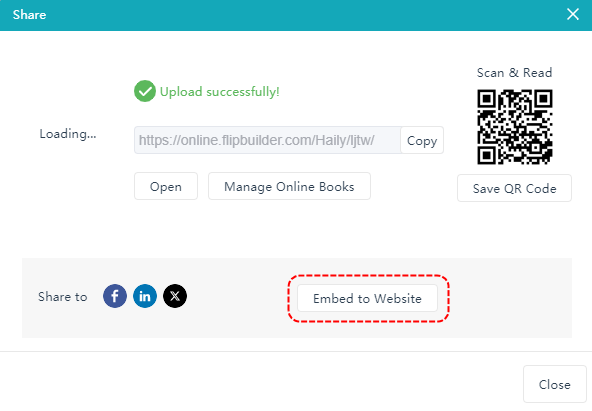
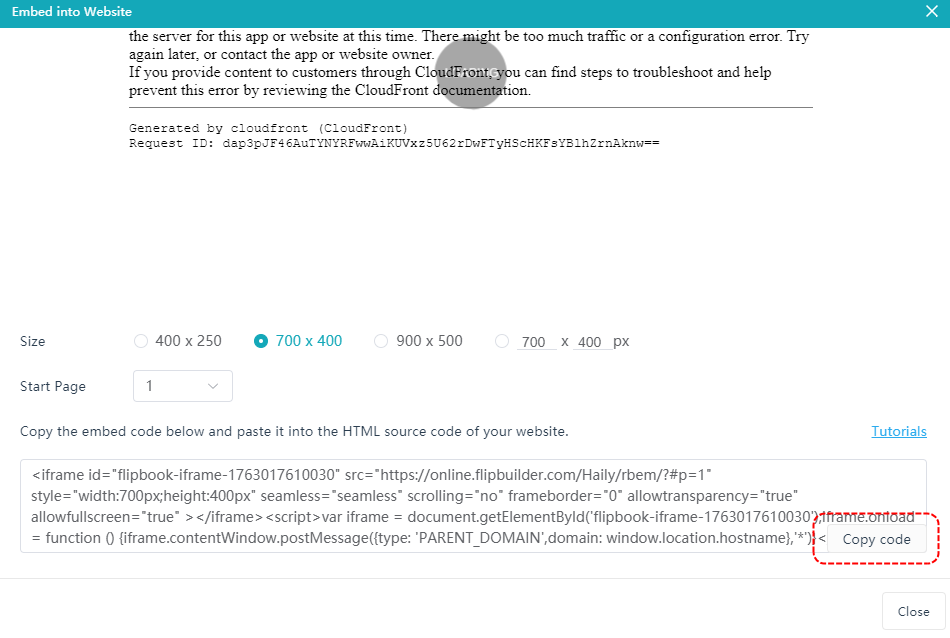
上傳成功後點擊 [嵌入網站] 點選 [複製程式碼]
第四步:嵌入網站
#
複製程式碼後,將其貼上到您的網站中並嵌入。


