So easy. Please follow the steps below.
1. After importing your files, in the main window, select [Settings].
2. Enter “hard cover” in the search bar and search it.
3. Turn on [Hard Cover] and you can set the hard cover border width.
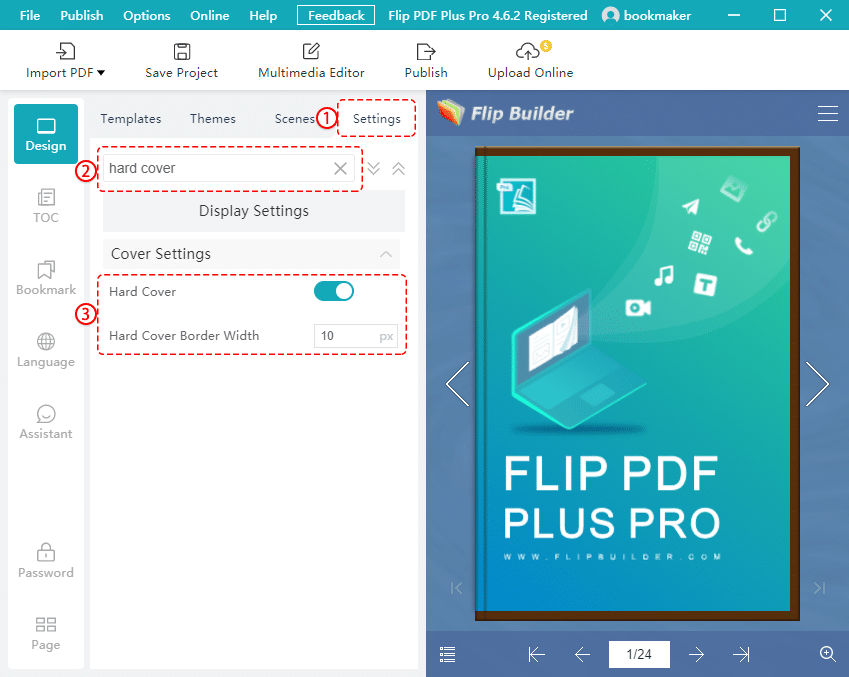
So easy. Please follow the steps below.
1. After importing your files, in the main window, select [Settings].
2. Enter “hard cover” in the search bar and search it.
3. Turn on [Hard Cover] and you can set the hard cover border width.


