We have enhanced and updated the interface layout of Flip PDF Plus Pro, which involves improving visual effects, rearranging existing feature buttons, and introducing new features to provide you with a more seamless experience. Join us on a journey to explore the new multimedia editor together.
UI Design #
● Interface #
The old interface:
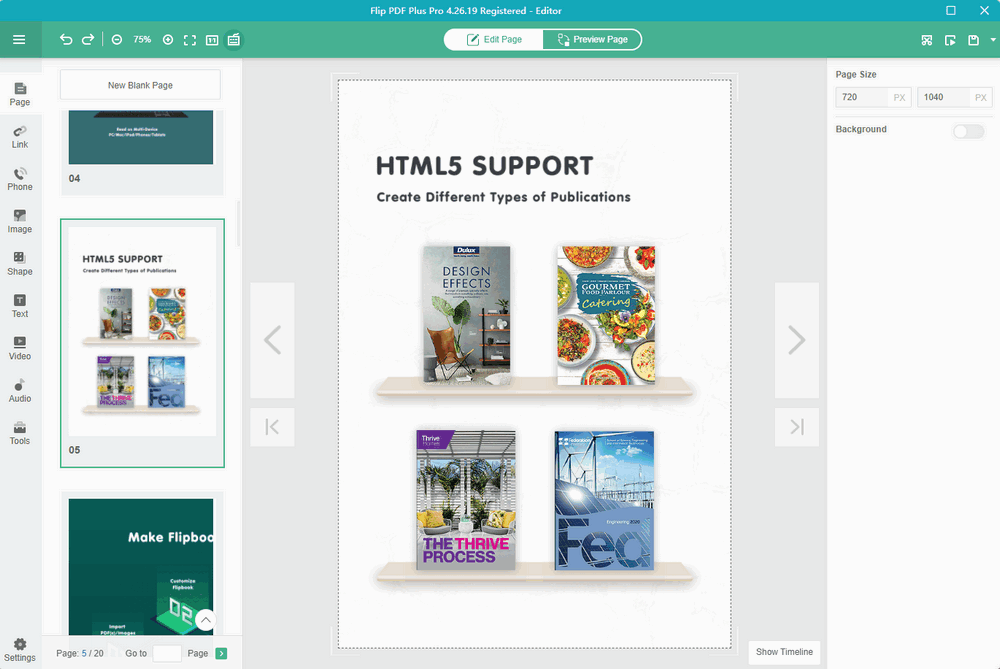
The new interface:
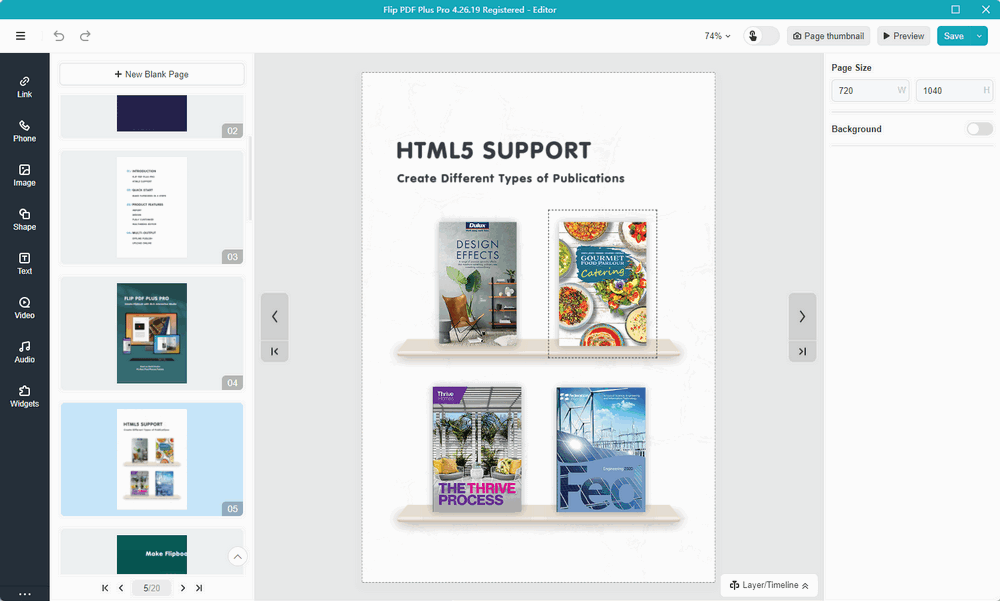
Feature Addition #
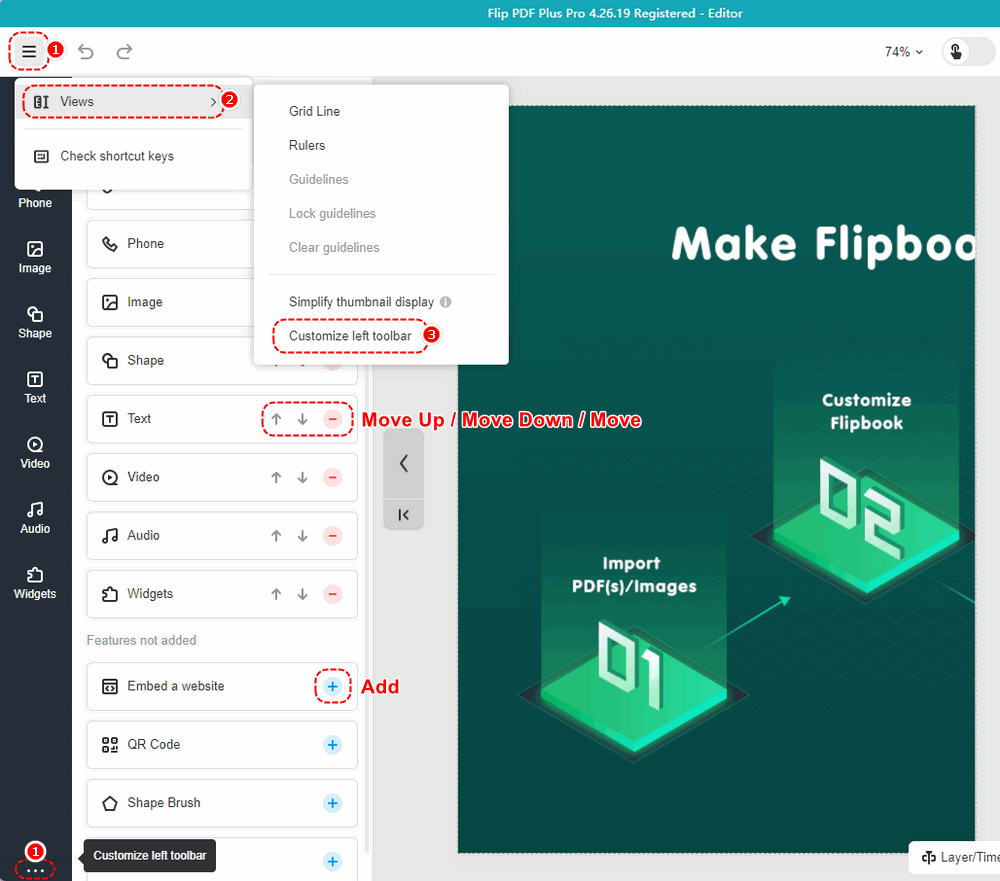
● Customize the left toolbar #
To cater to your usage habits, you can click [Move Up/Down], [Move], or [Add] to customize the left toolbar. Moreover, you can adjust the order by simply dragging and dropping the feature icons.
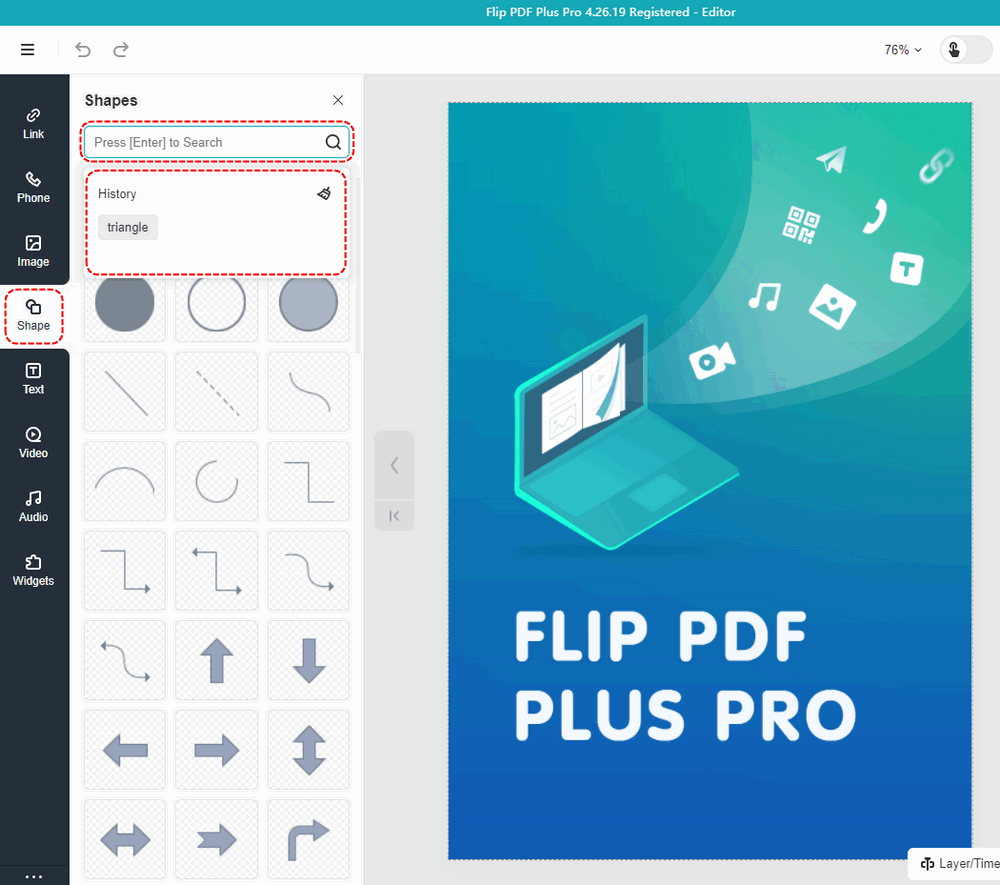
● Search & History #
You can input some keywords on the Shape toolbar to search for the shape you want. The search history will be displayed below.
Renaming #
● Widgets #
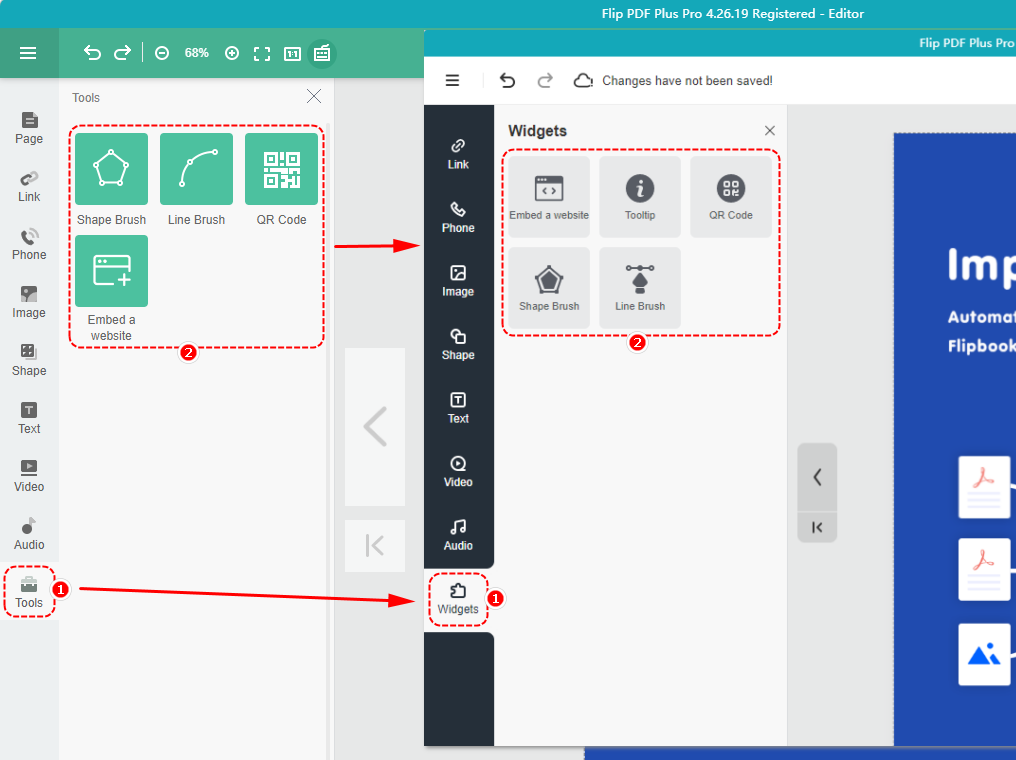
We have renamed the “Tools” toolbar to the “Widgets” toolbar and included a “Tooltip” component within it.
Position Adjustment #
● Canvas size #
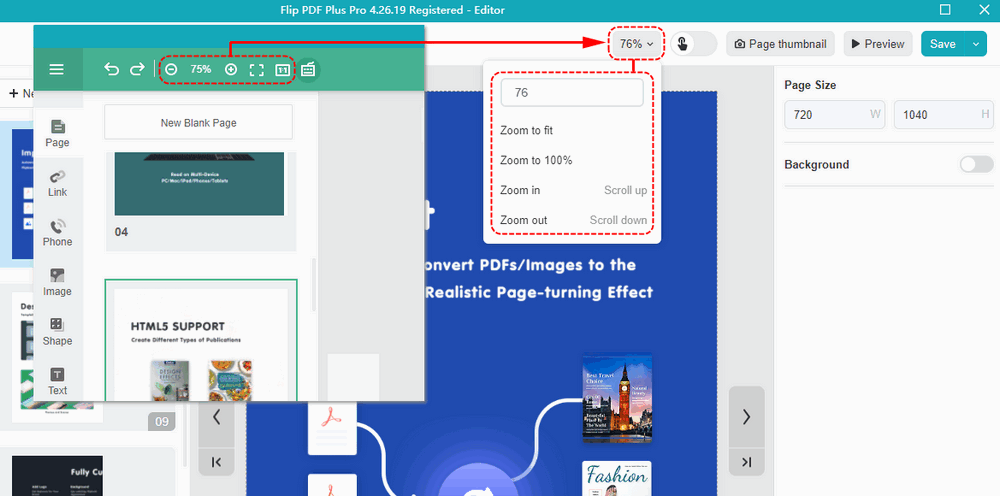
Certain buttons related to adjusting the canvas size have been relocated to the top right corner of the canvas
● Preview trigger actions #
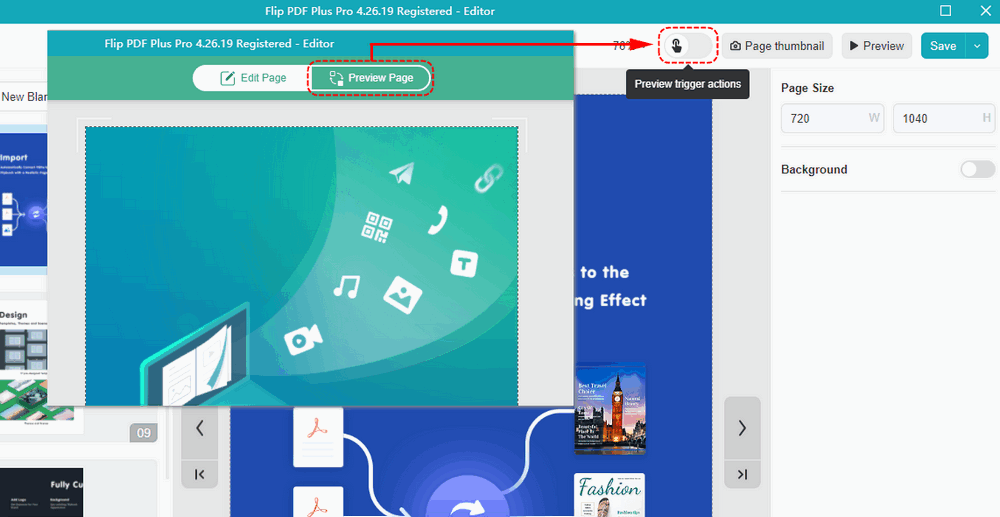
The name “Preview Page” has been changed to “Preview trigger actions“, and its position has been adjusted as well.
● Check shortcut keys #
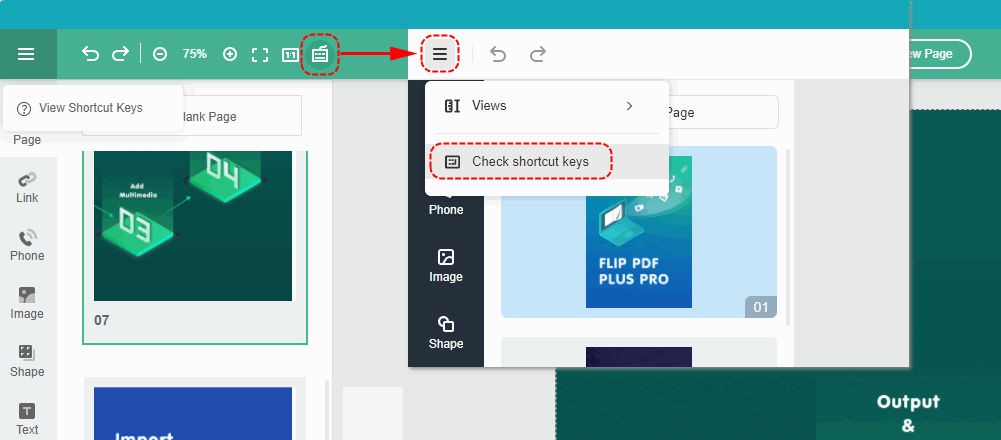
The “Check shortcut keys” button has been folded into the Hamburger Menu button.
● Auxiliary tools #
The settings for the ruler, guidelines, and grid lines have been relocated under the “View” button.


