flipbuilder_help

How to Set Specific Domain Names to Access My Book?

Step 1. Set the accessible domains #

There are two methods to set accessible specific domains for your flipbooks.

Method 1: Embed Settings #

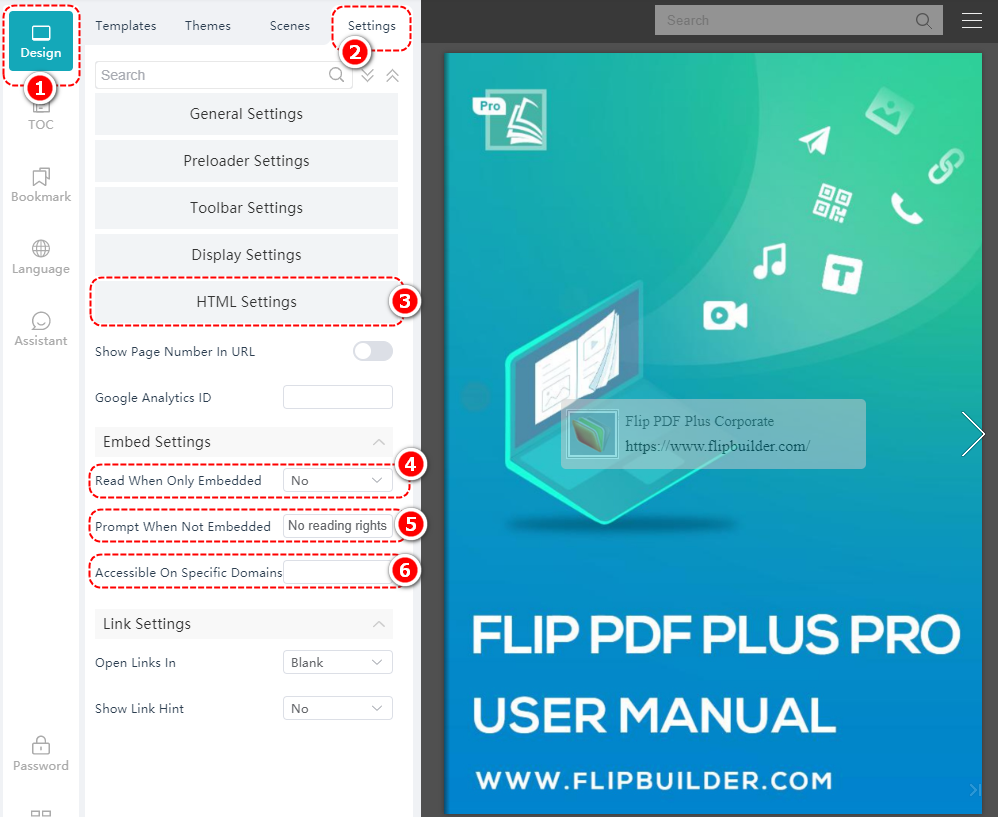
Click [Design] > [Settings] > [HTML Settings] > select [Yes] in [Read When Only Embedded] > Enter the prompt > enter the designated domain names in [Accessible on Specific Domains]

Note: Please make sure the domain names you enter are without the slash “/” at the end.
Method 2: Upload #

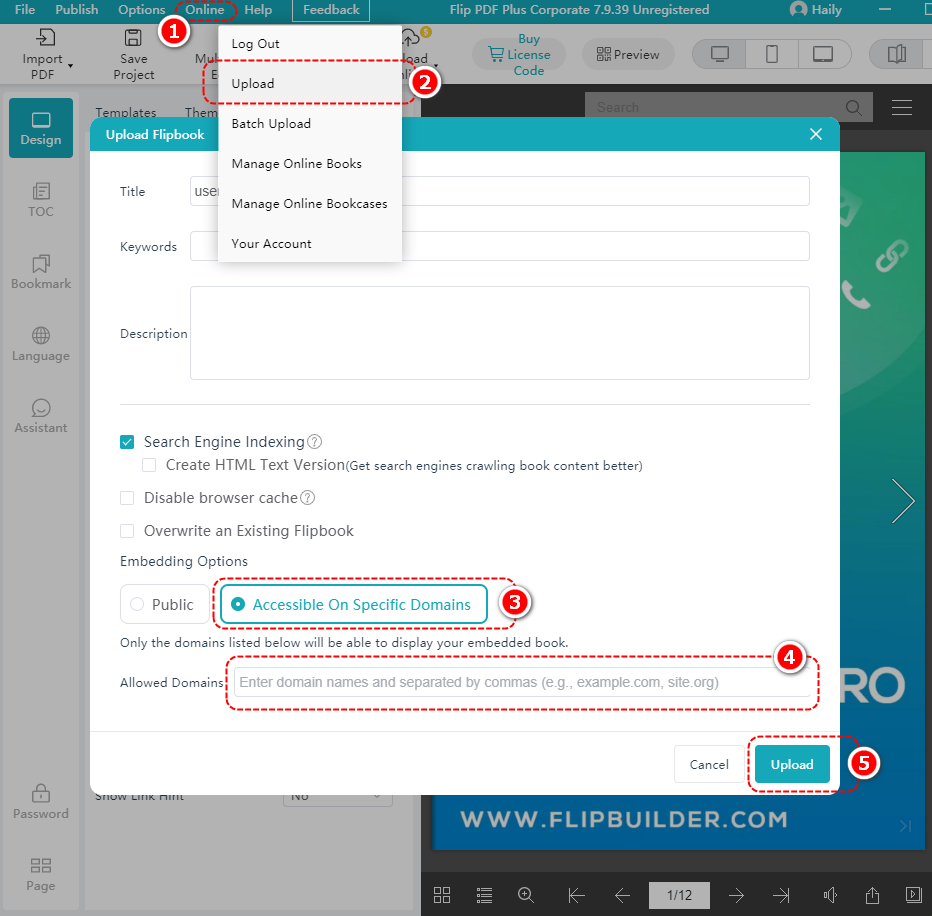
Click [Online] > [Upload] > select [Accessible On Specific Domains] > enter the domain name in the [Allowed Domains] frame > click [Upload]

Step 2. Upload the book #

Click [Online] > [Upload], or click your account name > select [Upload]

Step 3. Get the embed code #

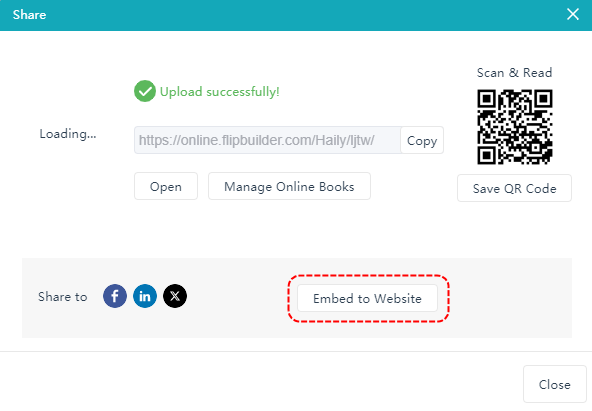
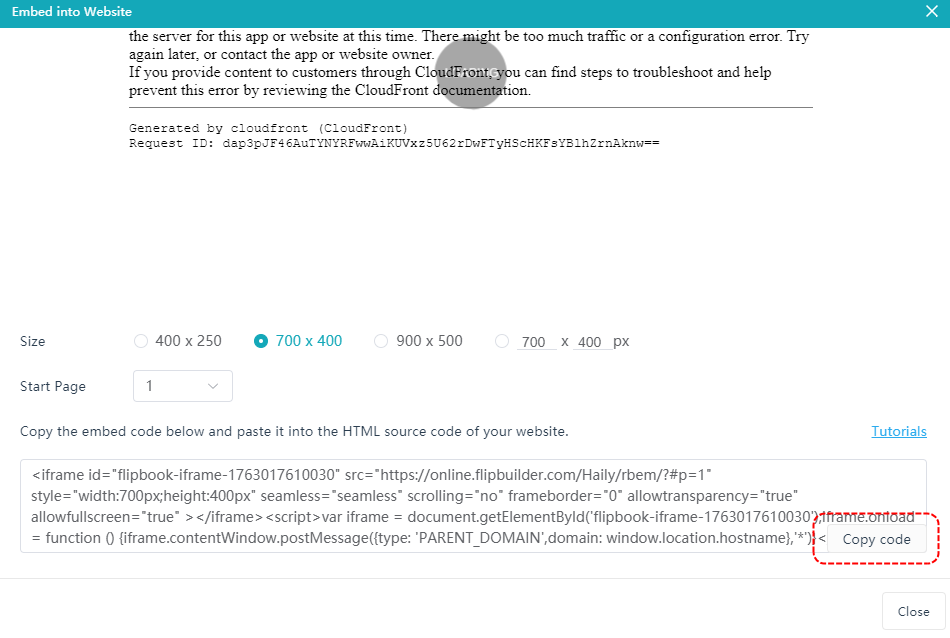
After uploading successfully, click [Embed to Website] > click [Copy Code]

Step 4. Embed on the website #

After copying the code, paste it into your website and embed it.

Powered by BetterDocs

English