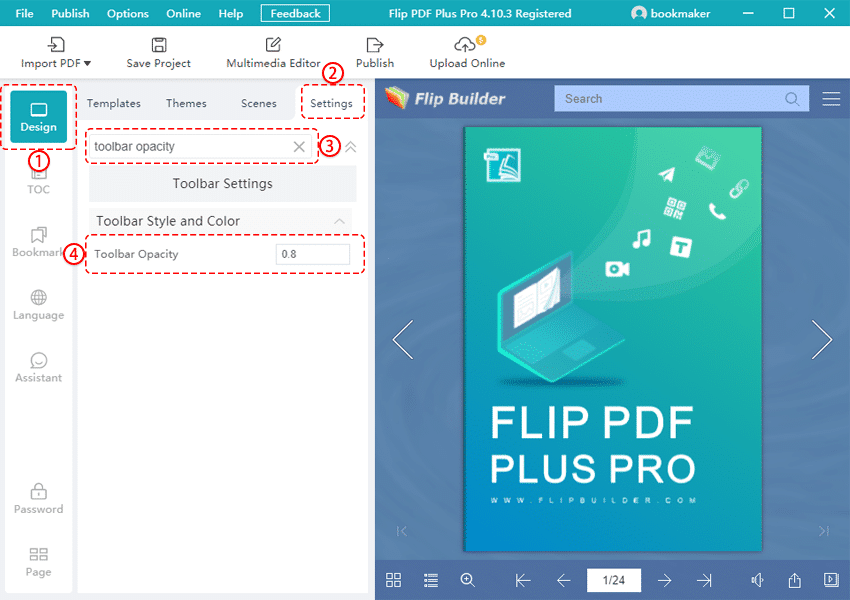
It is so easy. Just follow the steps below.
1. לחץ [לְעַצֵב] בחלון הראשי.
2. בחר [הגדרות].
3. לאחר מכן הכנס “toolbar opacity” in the search box and search it.
4. You can adjust the parameter in the blank box.
After setting, you can see the change of transparency in the toolbar.