1. Importovat obsah
#
If your uploaded PDF contains an organized table of contents (TOC), it can be extracted automatically after a successful upload.
Note: The table of contents MUST be in text format so that it can be extracted successfully. If your uploaded PDF is made up of images, the TOC will fail to be extracted.
Here are the steps.
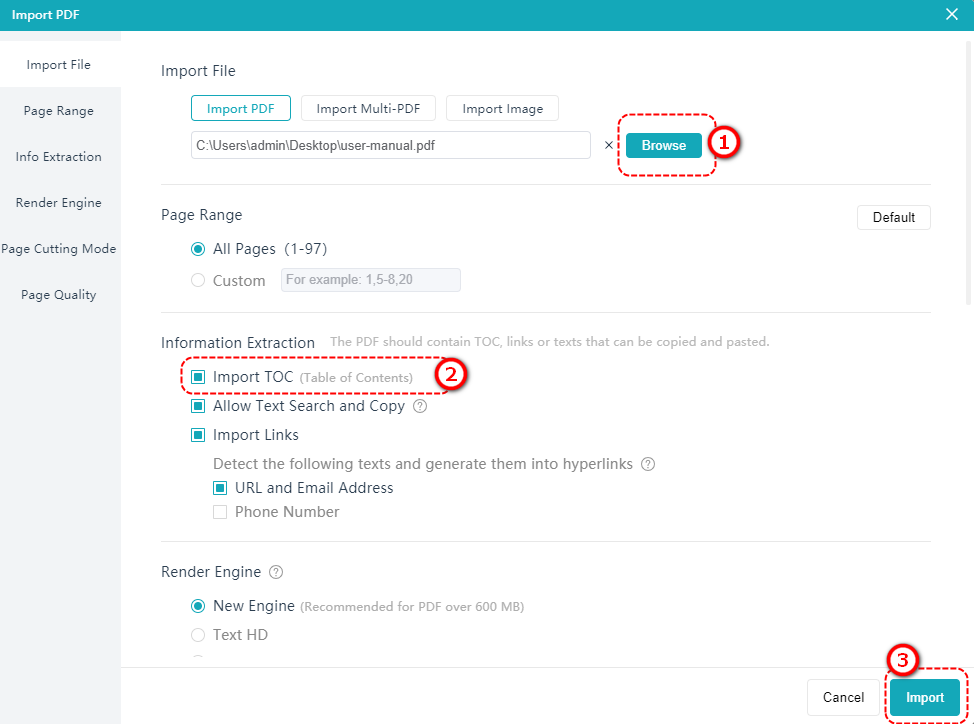
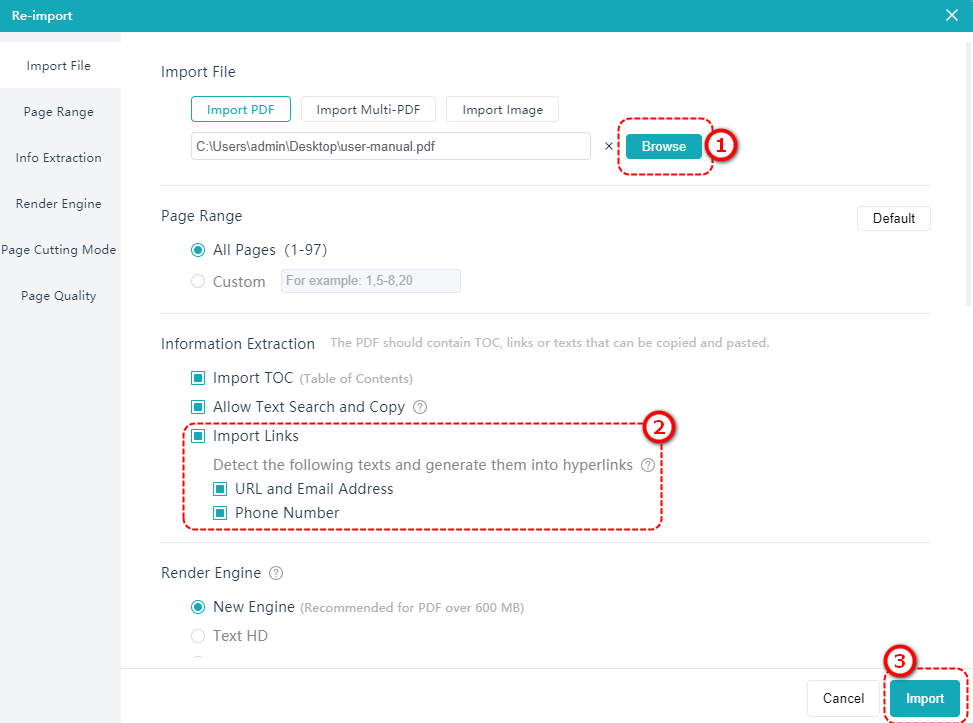
Klikněte [Importovat PDF] > klikněte [Procházet] to select an uploaded PDF > Tick [Importovat obsah] > [Import].
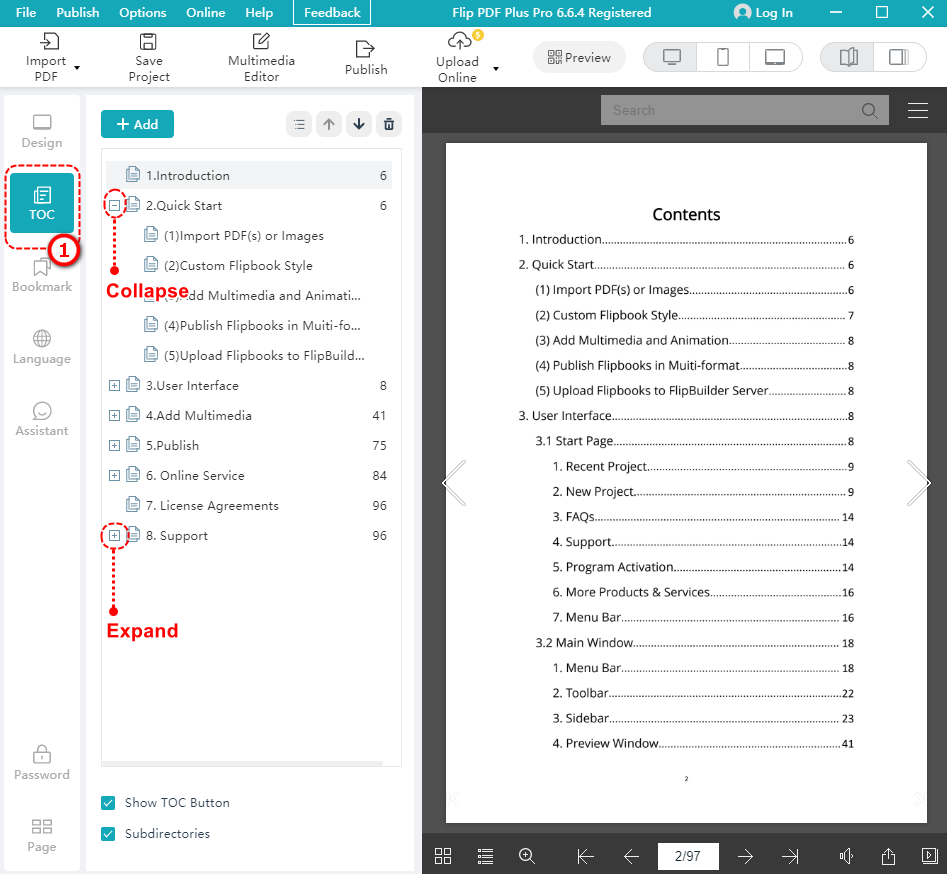
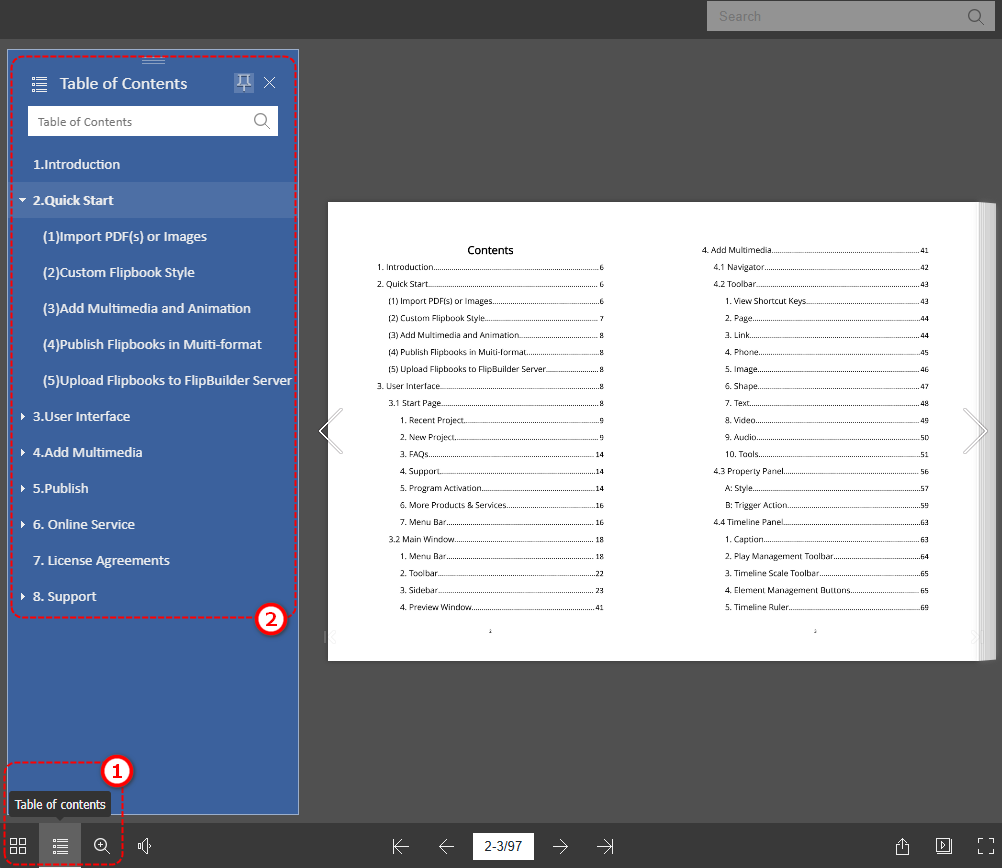
Po úspěšném nahrání klikněte [OBSAH] to see the auto-extracted TOC.
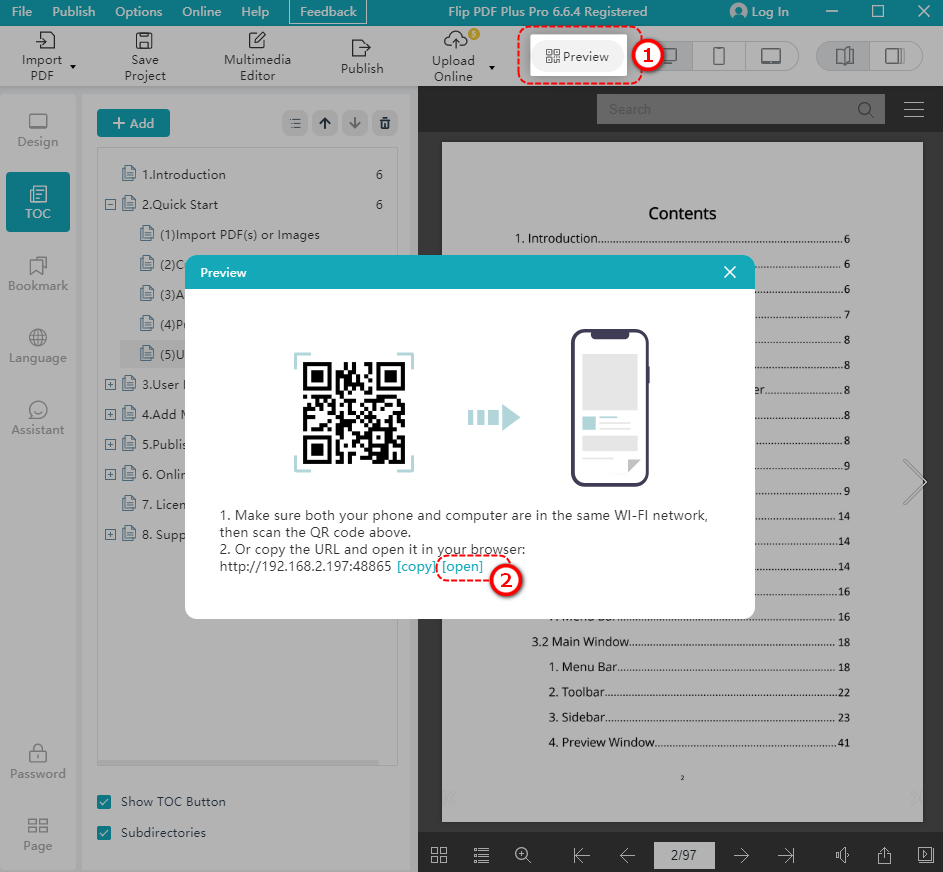
Klikněte [Náhled] > klikněte [OTEVŘENO] to see the TOC from the perspective of your readers.
The following is an example.
Note: Please make sure you have selected the [Tlačítko Zobrazit obsah]. Otherwise, your readers cannot see the TOC.
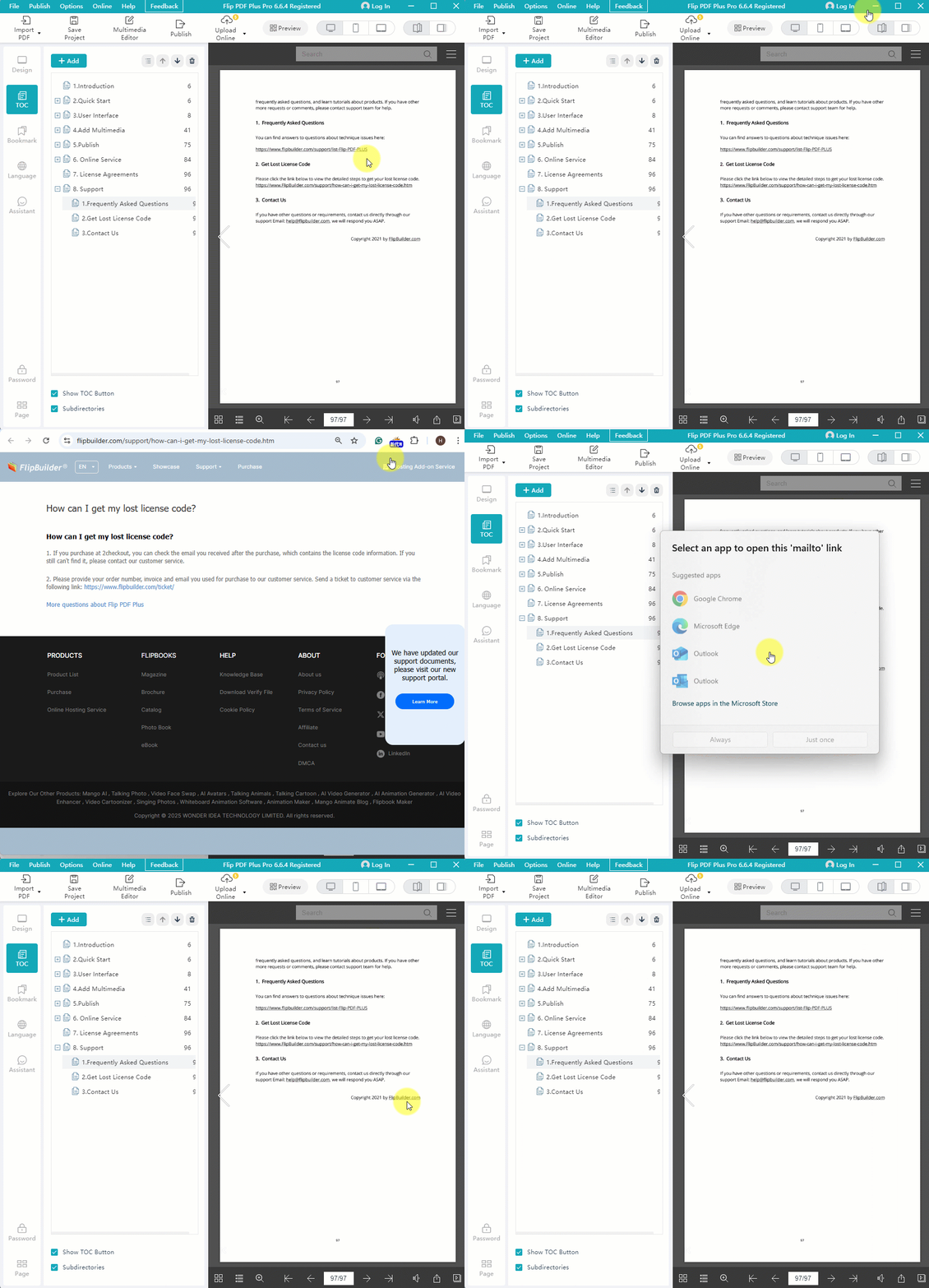
2. Importovat odkazy #
Texts of your uploaded PDF, including URLs, email addresses, and phone numbers, can be intelligently identified and imported as hyperlinks.
Before importing your PDF, tick [Importovat odkazy] > select [URL a e-mailová adresa] nebo [Telefonní číslo] based on your needs > [Import]
After importing, these detected URLs and email addresses become hyperlinks.
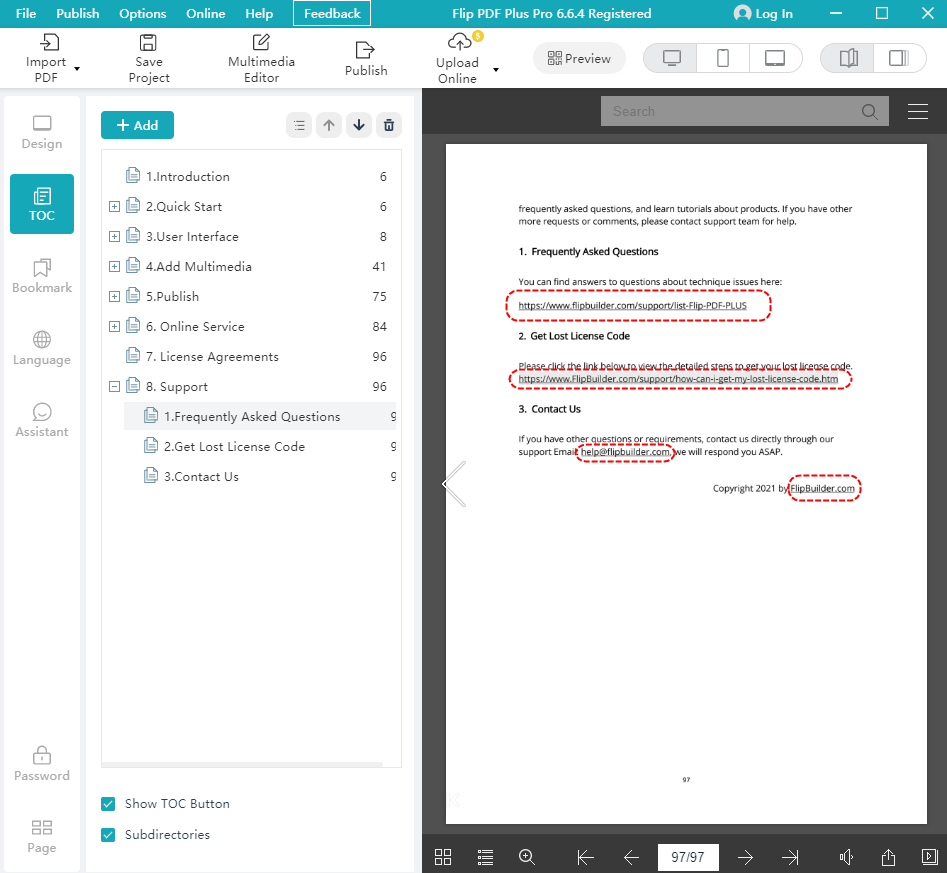
The following is an example.